






























Rewards for useful budgeting activity, not spending more or spending less.
The Sweet Way to Budget
Your life has plans.
Your life has plans.
Your money should too.
Jelli is a visual budgeting app that organizes your money into colorful JelliJARS. Know what’s left for rent, groceries, and fun, so you can spend with confidence, not guesswork.
30-day free trial · No contracts · Jelli never moves your money
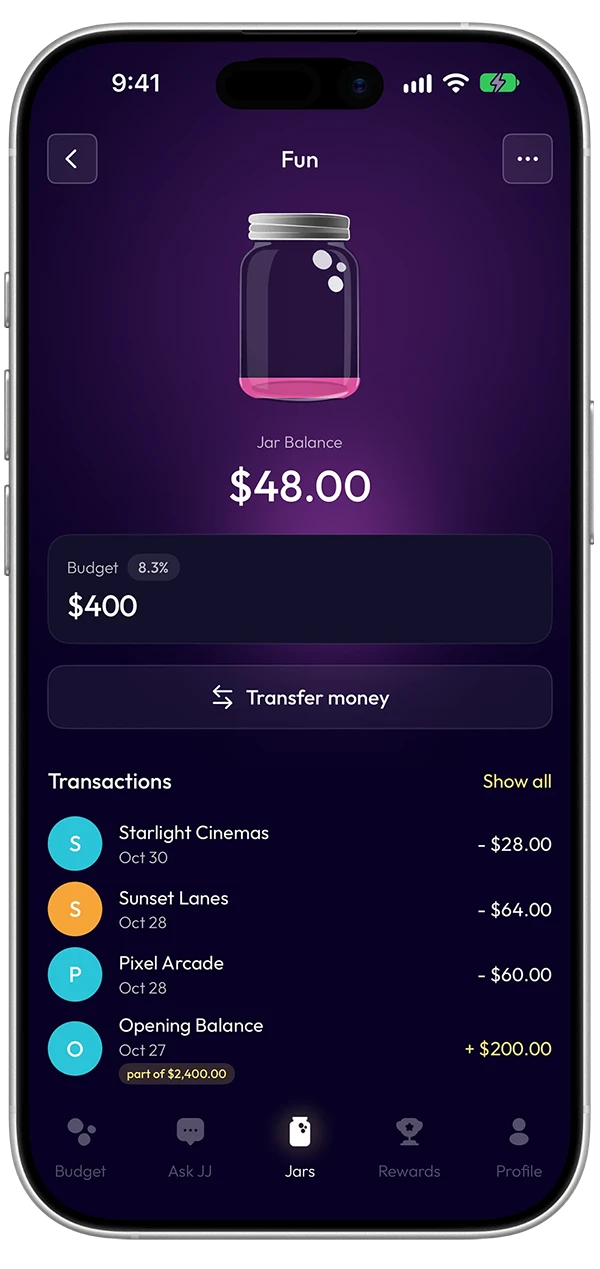
Your money, sorted into Jars
One bank balance.
One bank balance.
A hundred different plans.
Your bank balance tells you how much you have. It doesn’t tell you how much is already spoken for.
One number. A clearer picture.JelliJARS in action
Your bank balance
$3,500
One balance. Lots of mental math.
Total money$3,500
Your money stays in your bank. Jelli just gives it a plan.
Rent. Groceries. Bills. That concert next month.
JelliJARS give every part of your life its own budget, so you can see what’s left without doing the mental math.
Think envelope budgeting... reimagined as colorful digital Jars.
Explore JelliJARS
A smart head start
Your first budget doesn’t start with a blank spreadsheet.
Connect your bank, and JJ uses up to 12 months of spending history to suggest a budget based on how you actually spend.
Rent. Groceries. Transportation. Fun. Your Jars and suggested monthly amounts are ready for you to review.
Keep what works. Change what doesn’t. You make the final call.
See How Budget Setup WorksFrom your life to your Jars
01 / Your spending history
Connect securely.
Connect through Plaid. Jelli reads your transactions to help build your budget. Your money stays in your bank.
Read-only bank connectionJJ gets you started.
Suggested Jars and monthly amounts, based on your real spending.
Housing$1,250
Groceries$425
Transport$180
Fun$200
Your budget. Your call.
Adjust JJ’s suggestion. Approve the amount that works for you.
Groceries
JJ’s suggestion$425 / mo
Your amount
Interactive demo · sample amounts
Built for the way you get paid
Your paycheck changes. Your priorities don’t have to.
A steady salary. A freelance payment. A week of tips.
Split by Budget uses your budget to suggest how each payday could be organized across your JelliJARS.
Try a different payday. Change the percentages. Watch the suggested dollar amounts respond... then decide what works for you.
Want a limit? Put a Lid on Fun and direct the extra to Spare Change.
Explore Split by BudgetSplit by Budget · Try it yourself
Your payday$340100% accounted for
Your priorities, in proportion.
Your budget mix
Rent$0.00
Groceries$0.00
Bills$0.00
Fun$0.00
Tap + or − to move 5% between Jars.
Extra toward Spare Change$0.00
Your split is a suggestion until you approve it.
Interactive demo · sample amounts
Meet JJ
Your budget has a brain.
Your budget has a brain.
And glasses.
Meet JJ, your little sidekick for the big and small money moments. Helpful suggestions, timely nudges, and answers when you need them.
Pick a moment
JJ suggests. You decide.
Get to Know JJ
One budget. Your kind of life.
However life happens,
However life happens,
there’s a Jar for that.
For the everyday stuff. The big plans. And everything in between.
 01 / Everyday spending
Credit cards.
01 / Everyday spending
Credit cards.
No surprises.
Keep card spending in view, right alongside the Jars it belongs to. So the statement doesn’t catch you off guard.
 02 / The good stuff ahead
Big plans
02 / The good stuff ahead
Big plans
start small.
A trip. A new laptop. Whatever’s next. Give a Jar a goal and watch your progress take shape.
 03 / One trip. Three purposes.
One purchase.
03 / One trip. Three purposes.
One purchase.
Multiple Jars.
Groceries, paper towels, new socks... one purchase can cover several priorities. Sort it into the Jars where it belongs.
 04 / Shared plans
Better budgeting,
04 / Shared plans
Better budgeting,
together.
Share the same budget with someone you trust. See and sort your plans together, each from your own phone.
Your money. Your control.
Jelli organizes your money. It never moves it.
Your Jars are virtual budgeting categories... not separate bank accounts.
Jelli connects through Plaid using read-only access, so your bank login stays private... and Jelli cannot transfer or withdraw your money.
JJ can suggest changes to your budget, but nothing changes until you approve it.
You stay in control... from the first Jar to the last.
How Jelli Protects Your InformationYou’re always in the driver’s seatHow Jelli protects your money
Your bank accountConnected through Plaid · money stays here
Read-only
Account data helps you plan. No transfers.
JJ suggestion
Needs your OK
Review a Jar budget change
Groceries JarMonthly budget
$425
JJ suggests $475 for your monthly Groceries budget. Nothing changes unless you approve.
Illustrative workflow and fictional amounts, not an actual app screen. Approving changes your virtual budget, never your bank funds.
Read-only account connections
Your money stays in your bank
You approve budget changes
Disconnect or cancel when you choose
Budgeting with a little more fun
Good habits deserve a little something.
Budgeting doesn’t have to feel like a chore.
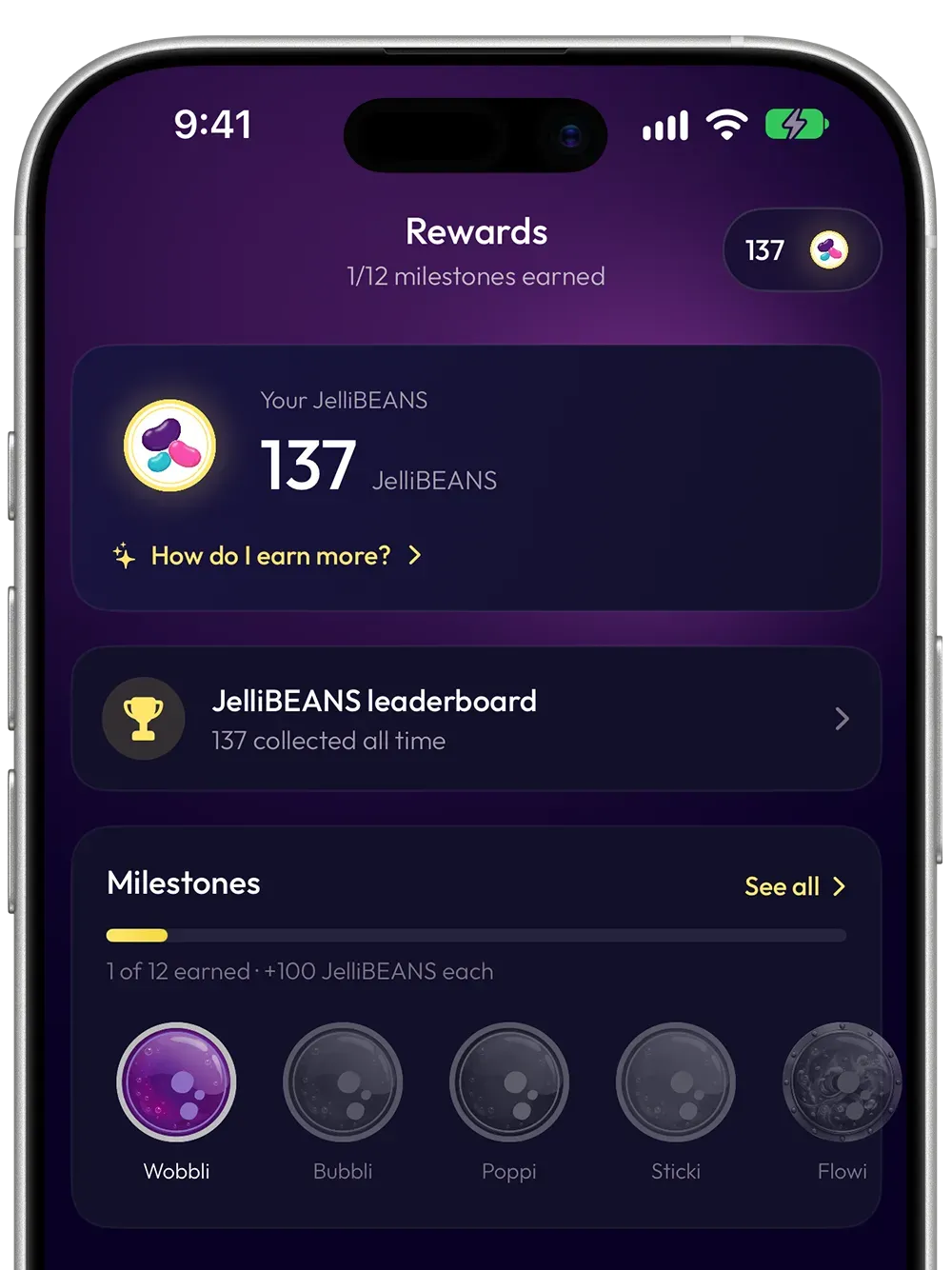
With Jelli, keeping your budget up to date becomes progress you can actually see... and get rewarded for.
Earn JelliBEANS for useful budgeting habits, collect 12 Milestones as you build consistency, and enjoy a little friendly competition through supported Game Center features.
And this is only the beginning of making Jelli your own.
A little reward for keeping up
Milestone collectionJAM · POWER · FLEX
Progress worth recognizing.
Twelve collectible Milestones celebrate the habit of showing up for your budget.












A little progress can add up.JAM POWER FLEX
Original Jelli Milestone artwork, arranged in JAM, POWER and FLEX tiers.
Twelve collectible achievements that recognize your progress and consistency.
Optional achievements and leaderboards where supported.
Apple Game Center on supported iPhone experiences. Android features may differ.
The next chapter · Jar Themes
Same Jars.
Same Jars.
A whole lot of personality.
K-Pop is the featured concept here... with future looks sitting on the roadmap. We’re showing the real in-app direction more clearly, while keeping the preview playful.
12 core colors · Sky
A glimpse at Jar Themes we’re imagining for a future Jelli update.
KIMCHI / SKY
Explore Rewards & Personalization
JelliBEANS and Milestones reward steady habits. Jar Themes are presented here as a preview only.
Pricing
A plan for the accounts you actually use.
Choose your Jelli plan based on how many accounts you want to connect. Get started with a 30-day free trial, and change or cancel your plan without a long-term contract.
Card Only
$1.99/ month
1credit card
Basic
$2.99/ month
Up to 3accounts
Plus
$5.99/ month
Up to 8accounts
Pro
$9.99/ month
Up to 20accounts
30-day free trial. No long-term contract.
Compare Jelli Plans Monthly prices shown. See a detailed plan comparison and review the latest billing and trial terms in the app.
Good money reads, no lectures
A little smarter about money.
A little smarter about money.
A lot less serious about ourselves.
Money questions don’t stop when you close the app.
Budget Bites is where we unpack everyday money decisions, unexpected expenses, irregular income, and everything else life throws at your budget.
Practical advice, interesting perspectives and the occasional well-earned joke.

Envelope budgeting
💌 Grandma’s Envelope System: The OG Budget Hack That Still Slaps
Grandma had the right idea long before budgeting apps. Here’s what her envelopes still get right.
Read article
Irregular income
Feast or Famine Paychecks? The Lid Feature Smooths It Out
Freelance gigs, tips, and unpredictable paydays. Make room for good weeks and lean ones.
Read article
Credit card budgeting
Connected a Credit Card With a Balance? Here’s What Happens
Already carrying a balance? Learn how Jelli distinguishes older charges from new spending.
Read article
Frequently asked questions
A few things you might be wondering.
The important stuff, minus the fine-print marathon.
More Frequently Asked QuestionsIs Jelli a bank or a budgeting app?
Jelli is a budgeting app. JelliJARS are virtual categories that help organize your budget. Your real money stays in your connected accounts.
How does Jelli’s envelope-style budgeting work?
You split your budget into Jars, one for each purpose, such as Rent, Groceries or Fun. You don’t have to start from scratch. After you link your bank, JJ looks at up to 12 months of your spending and drafts Jars and amounts that match how you actually spend. You can change any Jar or amount before you start.
When money comes in, Split by Budget spreads it across your Jars by percentage, so it works whether your income is a steady salary, tips or gig pay. You confirm every split. New purchases land in one inbox, with a suggested Jar for each one. As you sort them, each Jar shows how much is left for that purpose, and Total Available adds up what’s left across all your Jars. Before you spend, you can see what’s really free to spend.
Do I need a predictable paycheck?
No. Jelli works with any pay schedule. You don’t have to tell it how much you make or how often you’re paid. JJ builds your starting budget from what you actually spend, so there’s no income field to fill in.
When money comes in, Split by Budget spreads it across your Jars by percentage, so a big deposit and a small one both get split the same way. That works for salary, tips, commission, shift work, gig pay or a mix of all of them. You can change any amount before you confirm the split. Good weeks and lean weeks even out, too. A Lid caps a Jar at its budget, and anything extra goes into your Spare Change Jar. When a Jar comes up short, you can move money over from Spare Change to cover it.
What is a Jar Lid?
A Lid is a cap you can put on any JelliJAR that keeps it from filling past a set limit. If the jar has no Goal ($0), the Lid caps it at its Monthly Budget amount. If the jar has a Goal set, that Goal amount becomes the fill limit instead. Either way, once the jar hits its limit, the Lid kicks in and any extra money that would have gone into that jar gets automatically redirected to your Spare Change Jar instead of just sitting unallocated. It's especially handy on a big income month, when a paycheck might otherwise overfund a category past what you actually need.
What is the Spare Change Jar?
The Spare Change Jar is Jelli's built-in catch-all for extra money — it automatically collects any overflow from jars that have hit their Lid. Over time it builds into a cushion you can dip into on leaner weeks or let grow as a cash buffer, all without you having to manually move money around.
What is an Incognito Jar?
An Incognito Jar keeps a surprise a surprise when you share your budget with someone. If you’re planning a gift or a getaway for the person you share Jelli with, make that Jar incognito.
They’ll still see that the Jar is there, its balance and what each purchase costs, so your shared budget still adds up. They won’t see the Jar’s real name or where the money is spent. When the moment’s right, reveal it. Either person in a shared Jelli can make a Jar incognito.
Can JJ change my budget without permission?
No. JJ can recommend and prepare changes, but you decide whether to approve them.
Can I use Jelli with just a credit card?
Yes. Use your credit card for everyday purchases and assign them to your Jars to stay on budget. Jelli shows how much to keep in your bank to cover the statement, so you’re ready to pay it in full at the end of the month.
The Credit Card Only plan is for people who want to budget with just one credit card, without linking a bank account. You pick how much to budget and how often, and Jelli splits that amount across your Jars. Then you assign your card purchases to Jars, the same as on every other plan.
Where is Jelli available?
Jelli is available on iPhone and iPad from the Apple App Store, on Android from Google Play, and on the web at jelli.app. The app comes in 27 languages, including right-to-left Arabic and Urdu. Jelli connects with US banks and credit cards through Plaid, and Apple Card users can connect through Apple’s FinanceKit. Support for banks outside the US is coming soon.
Can JJ access my bank account?
No. JJ can’t log in to your bank, can’t move money and can’t make payments or transfers. Jelli has no way to move money at all. Here’s how it works. Jelli connects to your bank through Plaid with read-only access. You sign in to your bank directly through Plaid, so Jelli never sees or stores your bank username or password. Jelli receives your transactions and balances. That’s what JJ uses to draft your budget and suggest which Jar a purchase belongs in.
JJ works only inside your Jelli budget, and even there it doesn’t act on its own. It suggests, and nothing changes until you say yes. Jars organize your money. They never move it, and your money stays in your bank. You can cut off Jelli’s access at any time, in the app or through your bank or Plaid.
Can I connect Jelli to my Claude or ChatGPT Account?
Yes. If you use Claude or ChatGPT, you can connect your Jelli budget and ask about your Jars right where you already chat. Ask what’s left for groceries or what you’re paying for every month. You can also sort purchases or shift budget between Jars.
To connect, find Jelli in Claude’s connectors or ChatGPT’s apps, or go to Profile → Connect your AI in the Jelli app. You confirm the connection by matching a number in the Jelli app, and Jelli lets you know when an AI connects. Your approval still comes first. Nothing in your budget changes until you say yes. Claude and ChatGPT can’t move money, see your bank login or delete anything. You can disconnect at any time in Profile → Connect your AI.
Jelli · The Sweet Way to Budget
Less guessing.More living.
Give your money a plan that fits your life. Get Jelli on iPhone, Android or the web and start your 30-day free trial.
30-day free trial · No long-term contracts · Your money stays in your bank